
Copy a complete recipe
Each prompt keeps the title, prompt text, media type, model labels, tags, and preview together so you can understand the intent before generating.
Prompt Library
467+prompts15+AI models
Infographic prompts help you turn data, steps, and ideas into clear charts, diagrams, and knowledge visuals that are easy to grasp. Browse free, copy-ready infographic AI prompts and generate images or videos in AI Pin Maker in one click.
Top-ranked free AI prompts by real usage — popular text-to-image, text-to-video, and image-to-video prompts spanning portraits, product shots, cinematic scenes, and AI art styles.

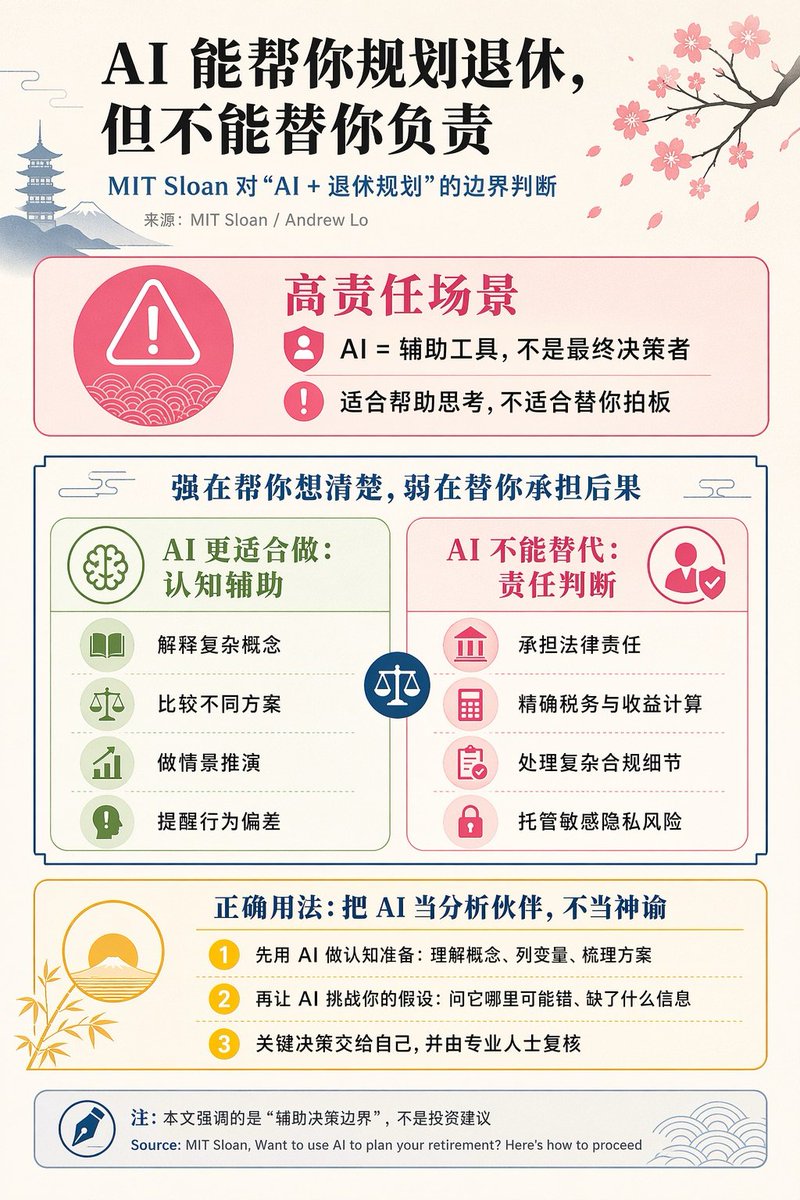
{"type":"editorial Chinese infographic poster","topic":"AI and retirement planning boundaries","style":"clean academic magazine infographic, flat vector icons, soft textured off-white paper background, balanced Chinese editorial typography, minimal Japanese-inspired decorative motifs","canvas":{"orientation":"portrait","aspect_ratio":"3:4"},"palette":{"background":"warm ivory","primary_text":"black","secondary_text":"deep blue","accent_red":"rose pink","accent_green":"muted olive green","accent_yellow":"golden yellow","accent_blue":"navy blue","line_color":"soft gray-blue"},"headline":{"text":"{argument name=\"headline text\" default=\"AI 能帮你规划退休,但不能替你负责\"}","position":"top left","font":"bold Chinese serif or Song-style display","large":true},"subheadline":{"text":"MIT Sloan 对“AI + 退休规划”的边界判断","position":"below headline","color":"deep blue","font":"bold Chinese sans-serif"},"source_line":{"text":"来源:MIT Sloan / Andrew Lo","position":"below subheadline","color":"gray"},"layout":{"sections":[{"title":"高责任场景","position":"upper middle","count":2,"shape":"rounded rectangle with pink border and pale pink fill","icon_count":3,"labels":["AI = 辅助工具,不是最终决策者","适合帮助思考,不适合替你拍板"],"left_icon":"large pink warning triangle inside circle over wave pattern","item_icons":["person badge","exclamation mark"]},{"title":"强在帮你想清楚,弱在替你承担后果","position":"center","count":2,"shape":"large framed comparison panel","subsections":[{"title":"AI 更适合做:认知辅助","position":"left","count":4,"color":"green","labels":["解释复杂概念","比较不同方案","做情景推演","提醒行为偏差"],"icons":["book","balance scale","upward chart","exclamation in speech bubble"]},{"title":"AI 不能替代:责任判断","position":"right","count":4,"color":"pink-red","labels":["承担法律责任","精确税务与收益计算","处理复杂合规细节","托管敏感隐私风险"],"icons":["courthouse","calculator","clipboard","lock"]}],"center_icon":"blue circle with white balance scale"},{"title":"正确用法:把 AI 当分析伙伴,不当神谕","position":"lower middle","count":3,"shape":"rounded rectangle with yellow border and pale cream fill","labels":["先用 AI 做认知准备:理解概念、列变量、梳理方案","再让 AI 挑战你的假设:问它哪里可能错、缺了什么信息","关键决策交给自己,并由专业人士复核"],"left_illustration":"yellow rising sun over stylized landscape with bamboo leaves","step_markers":"three yellow numbered circles: 1, 2, 3"},{"title":"注:本文强调的是“辅助决策边界”,不是投资建议","position":"bottom","count":1,"shape":"rounded rectangle with blue-gray border","labels":["Source: MIT Sloan, Want to use AI to plan your retirement? Here’s how to proceed"],"left_icon":"blue fountain pen nib in circle","right_decoration":"gray-blue wave pattern"}],"decorations":{"count":5,"items":["top right cherry blossom branch with pink flowers and falling petals","top left pagoda silhouette","top left distant mountain silhouette","small cloud-line motifs near upper corners of comparison section","subtle wave patterns inside circular icons and lower right footer"]}},"composition":"ample margins, all text in Chinese except the English source line at bottom, strong hierarchy from headline to colored content boxes, symmetrical comparison layout in the middle, polished social-media-ready infographic","rendering":"sharp vector infographic, crisp text, subtle paper grain, no photorealism"}3e:Te44,{"type":"editorial Chinese infographic poster","topic":"AI and retirement planning boundaries","style":"clean academic magazine infographic, flat vector icons, soft textured off-white paper background, balanced Chinese editorial typography, minimal Japanese-inspired decorative motifs","canvas":{"orientation":"portrait","aspect_ratio":"3:4"},"palette":{"background":"warm ivory","primary_text":"black","secondary_text":"deep blue","accent_red":"rose pink","accent_green":"muted olive green",
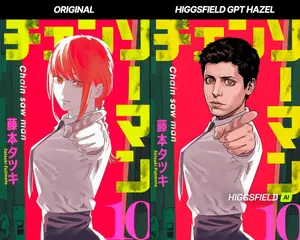
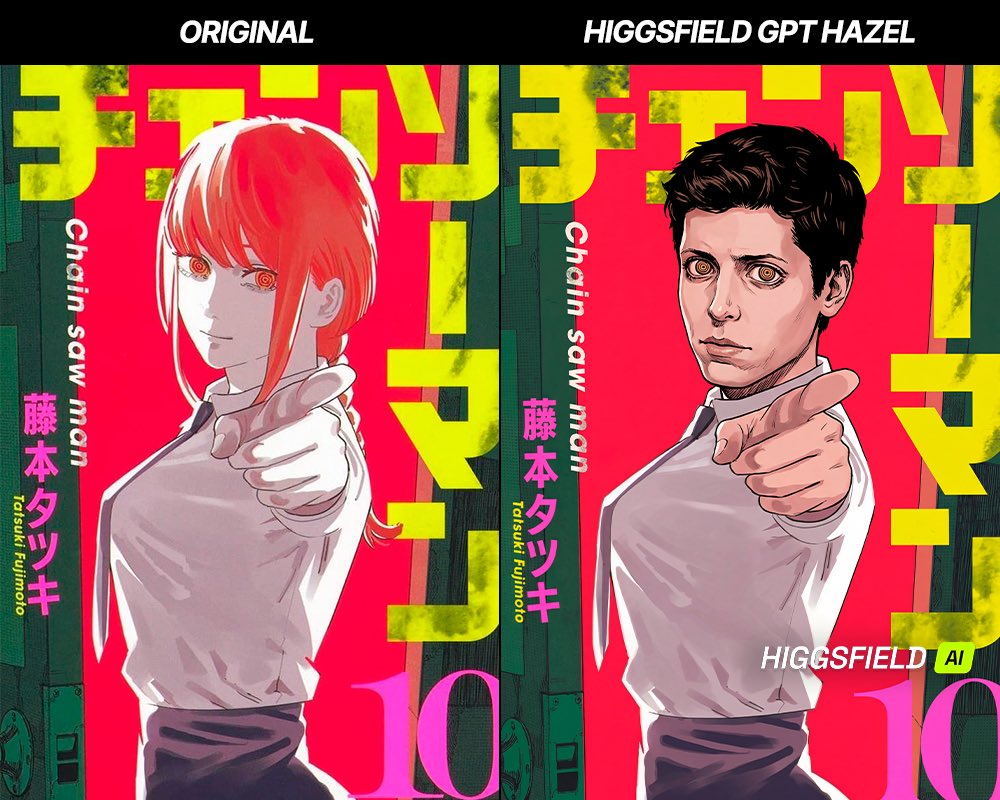
Create a anime image of Character Visual Update While Preserving Original Atmosphere. Style: photorealistic. Composition: balanced and well-framed. Lighting: natural with cinematic mood. Category: anime. Reference: character-visual-update-while-preserving-original-atmosphere-2561.
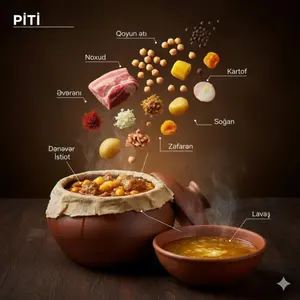
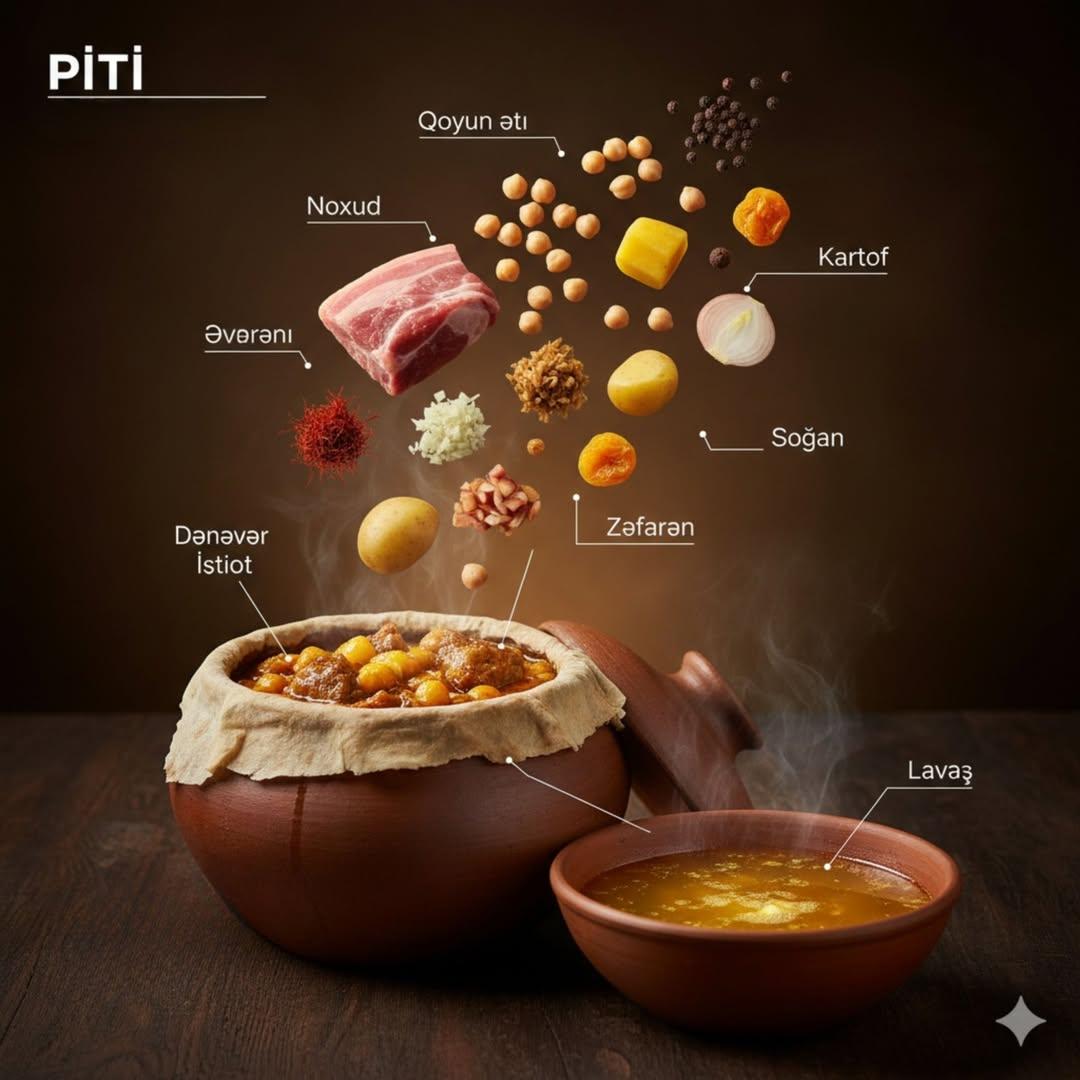
{ "image_prompt": { "main_subject": "Whole roasted chicken stuffed with walnut and pomegranate sauce (Levengi)", "plating_and_presentation": { "dish": "Rustic ceramic plate", "texture": "Golden glossy skin, rich caramelized texture", "effects": "Soft steam rising" }, "infographic_composition": { "style": "Editorial food infographic with floating ingredients", "arrangement": "Ingredients suspended above the dish neatly", "graphic_elements": "Thin connector lines, minimalist labels in Azerbaijani", "levitating_items": [ "Walnuts", "Pomegranate molasses (Narşərab)", "Onion", "Cilantro", "Spices", "Pepper", "Love/Heart symbol" ] }, "lighting_and_atmosphere": { "lighting": "Warm studio lighting", "background": "Dark moody background", "contrast": "High contrast", "shadows": "Natural shadows" }, "technical_specs": { "style": "Ultra-realistic cinematic food photography", "camera_settings": "Shallow depth of field, sharp focus on chicken", "quality": "8K detail, professional DSLR look" } } }3f
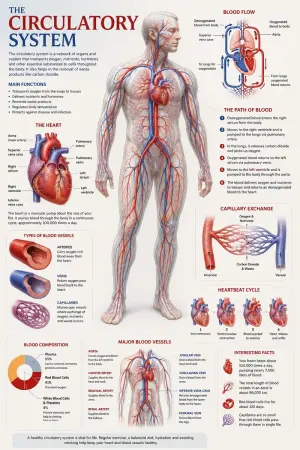
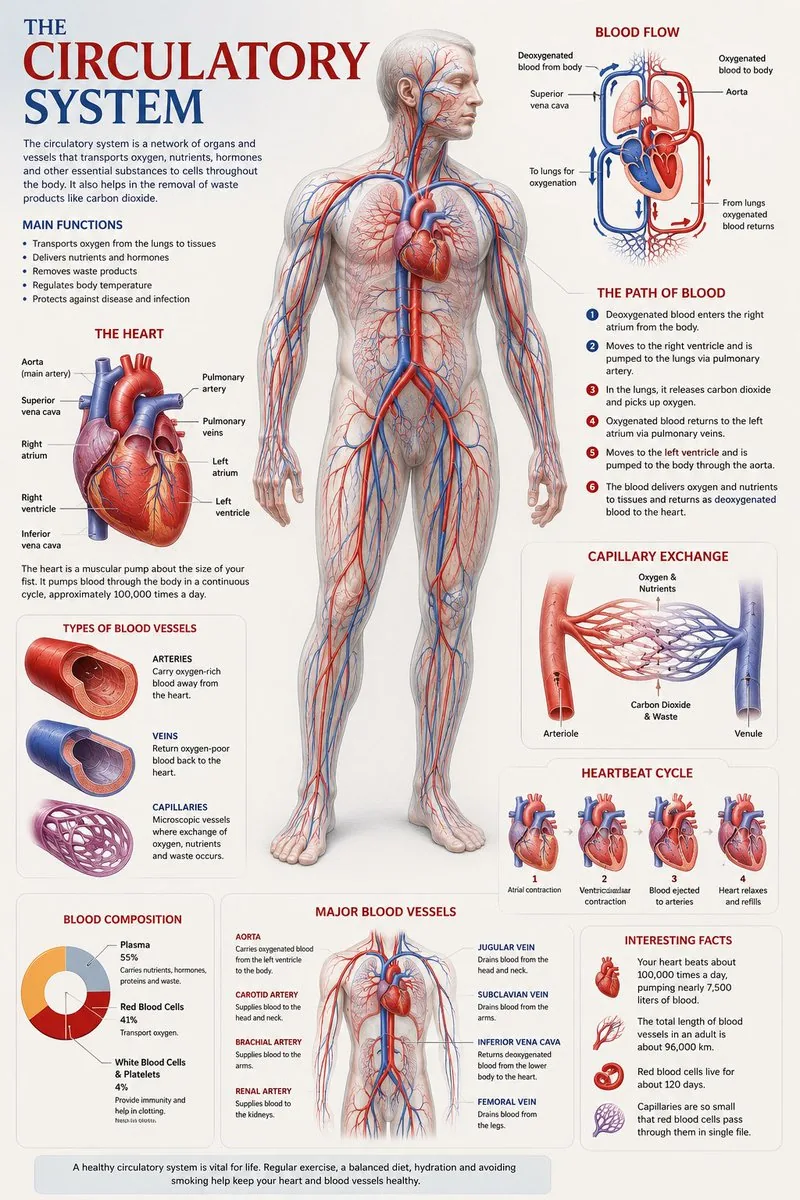
Create a premium educational “scientific anatomical visualization poster” focused on the human circulatory system (subject), designed more like a modern medical museum display and biological atlas page rather than a typical infographic. The composition should feel elegant, immersive, and medically artistic, blending anatomical realism, scientific illustration, and cinematic educational design. Visual Direction: • Vertical poster composition or clean square format • Soft medical-grade background with subtle paper textures, anatomical sketch overlays, and faint scientific grid lines • Refined medical color palette using ivory white, deep crimson red, arterial blue, soft pink tissue tones, muted gray, and subtle gold accents • Clean editorial typography with elegant anatomical labeling • Minimal UI-style information panels — focus more on visual storytelling and anatomical beauty • Thin precision annotation lines with museum-style labels • Soft realistic lighting and premium biological rendering • Highly detailed semi-transparent human body illustration revealing the circulatory network beneath the skin • Realistic vascular textures with glowing arteries and veins flowing throughout the body • Sophisticated educational aesthetic inspired by high-end medical textbooks and anatomy exhibitions Main Subject Presentation: A breathtaking ultra-detailed anatomical render of the human circulatory system placed centrally, featuring: • semi-transparent human anatomy • hyper-detailed arteries and veins • visible heart chambers and aorta • capillary branching networks • realistic blood-flow coloration • glowing oxygenated vs deoxygenated circulation pathways • anatomically accurate vessel placement • subtle organ visibility beneath the vascular system • premium medical illustration realism Surround the anatomy with elegant educational visualization modules such as: • enlarged realistic heart anatomy • pulmonary circulation diagram • systemic circulation flow visualization • artery vs vein comparison • capillary exchange illustration • heartbeat cycle sequence • microscopic blood-cell closeups • blood composition visualization • major vessel identification map • oxygen transport explanation Add sophisticated scientific visual elements like: • blood-flow directional arrows • vascular cross-section diagrams • anatomical side callouts • circulation pathway diagrams • microscopic tissue exchange visuals • transparent organ overlays • ECG/heartbeat waveform accents • subtle medical chart graphics • biological texture overlays • anatomical scale comparisons Style Keywords: “museum-quality anatomical poster” “scientific medical atlas page” “premium biology visualization” “high-end anatomy illustration” “medical education artwork” “editorial anatomical design” “cinematic biological rendering” “ultra-detailed circulatory anatomy” “luxury medical textbook aesthetic3e:Tbe7,Create a premium educational “scientific anatomical visualization poster” focused on the {argument name="subje
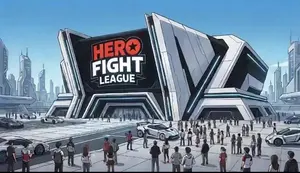
Create a anime video of High Energy Anime Arena Visuals. Style: photorealistic. Composition: balanced and well-framed. Lighting: natural with cinematic mood. Category: anime. Reference: high-energy-anime-arena-visuals-3881.
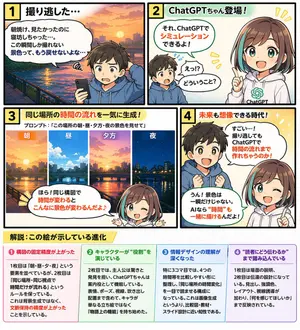
{ "type": "4-panel educational manga with infographic footer", "theme": "{argument name=\"comic theme\" default=\"ChatGPT image generation capabilities\"}", "characters": { "boy": "{argument name=\"boy character\" default=\"young boy with brown hair wearing a blue hoodie\"}", "girl": "anime girl with brown hair and teal streaks, wearing a white hoodie with a green logo, representing {argument name=\"girl character name\" default=\"ChatGPTちゃん\"}" }, "layout": { "panels": [ { "number": 1, "title": "1 撮り逃した…", "scene": "Boy looking disappointed at his smartphone. Background is a sunrise over a city river.", "dialogue": ["朝焼け、見たかったのに寝坊しちゃった…。この瞬間しか撮れない景色って、もう戻せないよな…"] }, { "number": 2, "title": "2 ChatGPTちゃん登場!", "scene": "Girl appears smiling confidently. Boy looks surprised.", "dialogue": ["それ、ChatGPTでシミュレーションできるよ!", "えっ!?どういうこと?"] }, { "number": 3, "title": "3 同じ場所の時間の流れを一気に生成!", "subtitle": "プロンプト:「{argument name=\"example prompt\" default=\"この場所の朝・昼・夕方・夜の景色を見せて\"}」", "visuals": { "count": 4, "labels": ["朝", "昼", "夕方", "夜"], "description": "Four vertical slices showing the exact same city river scene transitioning from morning to noon, evening, and night." }, "scene": "Girl winking and pointing at the images.", "dialogue": ["ほら!同じ構図で時間が変わるとこんなに景色が変わるんだよ♪"] }, { "number": 4, "title": "4 未来も想像できる時代!", "scene": "Boy looks amazed with sparkling eyes. Girl winks and points upwards.", "dialogue": ["すごい…!撮り逃してもChatGPTで時間の流れまで作れちゃうのか!", "うん!景色は一瞬だけじゃない。AIなら“時間”も一緒に描けるんだよ!"] } ], "footer": { "title": "{argument name=\"footer title\" default=\"解説:この絵が示している進化\"}", "columns": { "count": 4, "items": [ { "title": "❶ 構図の固定精度が上がった", "content": "Text explaining improved composition consistency." }, { "title": "❷ キャラクターが“役割”を演じている", "content": "Text explaining characters playing specific roles." }, { "title": "❸ 情報デザインの理解が深くなった", "content": "Text explaining deeper understanding of information design." }, { "title": "❹ “読者にどう伝わるか”まで踏み込んでいる", "content": "Text explaining focus on reader comprehension." } ] } } } }3d:Tc4c,{ "type": "4-panel educational manga with infographic footer", "theme": "{argument name=\"comic theme\" default=\"ChatGPT image generation capabilities\"}", "characters": { "boy": "{argument name=\"boy character\" default=\"young boy with brown hair wearing a blue hoodie\"}", "girl": "anime girl with brown hair and teal streaks, wearing a white hoodie with a green logo, representing {argument name=\"girl character name\" default=\"ChatGPTちゃん\"}" }, "layout": { "panels": [ { "number": 1, "title": "1 撮り逃した…", "scene": "Boy looking disappointed at his smartphone. Backgroun
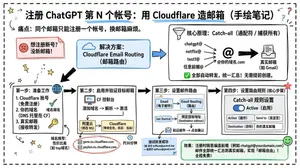
Goal: Create a landscape hand-drawn notebook-style Chinese infographic explaining how to register multiple ChatGPT accounts by using Cloudflare Email Routing to create catch-all mailbox aliases. Canvas: Wide 16:9 whiteboard page, clean off-white background, surrounded by a thick black dashed rounded border. Use a casual marker-and-pen sketch style with slightly imperfect lines, doodle arrows, stars, question marks, pins, and small expressive icons. Title and intro: At the top center, write the bold headline 注册 ChatGPT 第 N 个账号:用 Cloudflare 造邮箱(手绘笔记) (headline text). Underline “Cloudflare” in blue. Beneath it on the left, write the pain point line: “痛点:同个邮箱只能注册一个账号,换邮箱麻烦。” Add a small curved arrow doodle and star near the title. Main layout: Use exactly 7 main content boxes/cards plus decorative doodles. Arrange them left-to-right as a process with bold black arrows connecting sections. The 7 cards are: 1 pain card, 1 solution card, 1 core-principle card, and 4 numbered step cards. Card 1, pain card: A red outlined sticky-note box on the upper left with a sad red face icon. Text: “想注册新号?没新邮箱!” Make it look like a folded-corner note. Card 2, solution card: A blue rounded rectangle in the upper middle with a blue cloud icon. Text: “解决方案:Cloudflare Email Routing(邮箱路由)”. Put a blue arrow pointing toward the core principle box. Card 3, core principle card: A large black-outlined rounded rectangle in the upper right. Header text: “核心原理:Catch-all(通配符 / 捕获所有)”. Include a funnel icon. Show exactly 4 example incoming aliases on the left: “chatgpt@”, “netflix@”, “test1@”, and “任意前缀@”. Draw arrows from all four into a large “@” symbol and “@你的域名.com”, then a thick black arrow to a mailbox icon labeled “真实邮箱(如 Gmail)”. Bottom line with green check icon: “全部自动转发,统一汇总!无需提前创建。” Step cards along the bottom: Use exactly 4 numbered boxes. Step 1 card, bottom left: Title “第一步:准备工作”. Include exactly 3 numbered requirements: “1. Cloudflare 账号(免费注册)”, “2. 你的域名(DNS 托管在 CF)”, “3. 真实邮箱(接收转发)”. Add a globe icon, a green check mark, and a yellow key icon. Below it add small text: “域名推荐:性价比高(如 top域名)”. Step 2 card, bottom center-left: Title “第二步:启用并验证目标邮箱”. Include a small computer icon labeled “CF 控制台”. Text flow: “添加域名 → 解析 → 激活”. Draw an arrow down to a mini DNS nameserver panel with two columns: left “阿里云(修改 NS)”, right “Cloudflare(等待生效,状态:活动)”. Beneath the card, draw a red circled nameserver list with exactly 2 entries: “gene.ns.cloudflare.com” and “peyton.ns.cloudflare.com”. Add a small clock icon and text “约30分钟”. Step 3 card, bottom center-right: Title “第三步:设置邮件路由”. Show a mini Cloudflare UI mockup with exactly 2 top tabs/boxes: “Email(电子邮件)” and “Email Routing(路由)”. Include a small “Get Started” button pointing to “绑定目标地址(Destination address)”. At the bottom add an envelope icon and text: “验证邮件 → 点击确认”. Under this card place a small blue status note titled “测试转发成功” with two arrow lines showing an alias forwarding to a Gmail address. Step 4 card, bottom right: Title “第四步:设置路由规则(核心步骤)”. Show a UI panel titled “Catch-all 规则设置”. Include a blue toggle switch labeled “Active(启用)”. Include a two-row table with headers and values: row 1 “Action(操作)” to “Send to(发送至)”; row 2 “Destination(目标)” to “你的真实邮箱”. Add a red star near the corner. Final result box: At the bottom right below Step 4, add a green rounded rectangle with a smiling face icon. Text: “效果:注册时随意编造前缀(例如 chatgpt@yourdomain.com)邮件全部统一汇总到真实邮箱,实现「邮箱自由」!全程免费!” Visual style: Handwritten Chinese typography, thick black marker outlines, simple vector doodles, blue/red/green/yellow accent colors, informal classroom note-taking feel. Keep all arrows bold and directional, with minor sketchy imperfections. Constraints: Keep the entire infographic in Chinese as specified, use no photorealism, no 3D rendering, no watermark, no extra sections beyond the 7 cards and final result box, and make the text legible.3b:T12a5,Goal: Create a landscape hand-drawn notebook-style Chinese infographic explaining how to register multiple ChatGPT accounts by using Cloudflare Email Routing to create catch-all mailbox aliases. Canvas: Wide 16:9 whiteboard page, clean off-white background, surrounded by a thick black dashed rounded border. Use a casual marker-and-pen sketch style with slightly imperfect lines, doodle arrows, stars, question marks, pins, and small expressive icons. Title and intro: At the top center, write the bold headline 注册 ChatGPT 第 N 个账号:用 Cloudflare 造邮箱(手绘笔记) (headline text). Underline “Cloudflare” in blue. Beneath it on the left, write the pain point line: “痛点:同个邮箱只能注册一个账号,换邮箱麻烦。” Add a small curved arrow doodle and star near the title. Main layout: Use exactly 7 main content boxes/cards plus deco
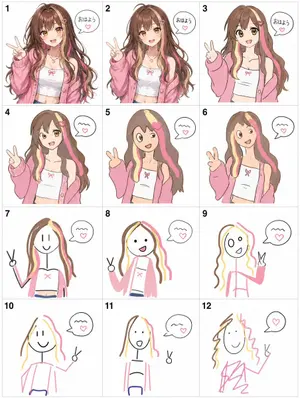
Create a game image of Visual Telephone Game Grid. Style: photorealistic. Composition: balanced and well-framed. Lighting: natural with cinematic mood. Category: illustration. Reference: visual-telephone-game-grid-20512.
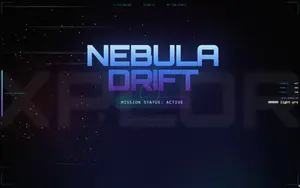
Create a parallax scrolling website with explosive visual effects: layered backgrounds that move at different speeds on scroll, fluid transitions, and interactive elements that pop up with animations
New free AI image prompts and AI video prompts added to the library — covering the latest models, creative styles, and visual directions.
Create a parallax scrolling website with explosive visual effects: layered backgrounds that move at different speeds on scroll, fluid transitions, and interactive elements that pop up with animations
神经网络三维结构数据流动可视化图,多层神经元节点(发光蓝色球体)以矩阵形式排列,数据流以发光粒子流形式在连接线中流动,蓝紫科技渐变配色(#4A90E2到#9013FE),半透明玻璃质感,C4D三维渲染,科普插图级别清晰度,适合AI技术文章配图,16:9横构图

A beautiful and informative data visualization for a report on global deforestation. The main visual could be a world map where countries are colored based on their rate of forest loss, or a series of stylized tree graphics where the number of leaves represents the remaining forest cover. The design should be impactful and emotionally resonant, not just a dry chart, demonstrating the ability to turn data into a compelling visual story. –ar 16:9

A fun and educational poster for a children’s science fair. The design is a colorful cartoon illustration featuring kids dressed as scientists, looking at bubbling beakers, telescopes, and robots. The typography is playful and kid-friendly. The poster should make science look exciting and accessible, encouraging kids to participate. –ar 2:3

制作一张《中华美食地图》的图文海报。整体基于中国地图,每个省份用单独的色块背景标识,并在省份上方标注代表美食的名称和一个立体感强的小图标(如火锅、烤鸭、点心 (美食图标示例)),确保食物图标具有真实质感。主标题写《中华美食地图》,排版整齐、采用扁平插画风与立体元素结合,颜色柔和。
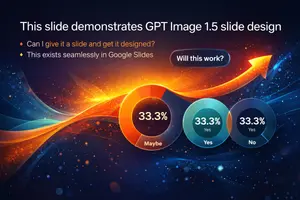
Create a infographic image of Visually Stunning Slide Generation From Content. Style: photorealistic. Composition: balanced and well-framed. Lighting: natural with cinematic mood. Category: illustration. Reference: visually-stunning-slide-generation-from-content-1776.
Create a infographic image of Troll Horde Attack Visualization Prompt Japanese. Style: photorealistic. Composition: balanced and well-framed. Lighting: natural with cinematic mood. Category: illustration. Reference: troll-horde-attack-visualization-prompt-japanese-2349.
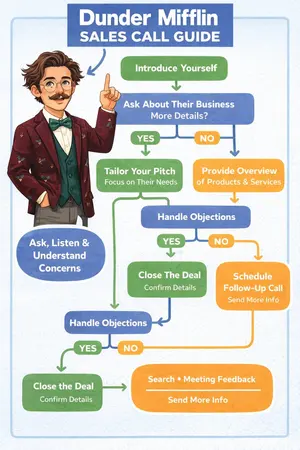
Create a infographic image of The Office Inspired Sales Flow Chart Infographic. Style: photorealistic. Composition: balanced and well-framed. Lighting: natural with cinematic mood. Category: illustration. Reference: the-office-inspired-sales-flow-chart-infographic-1817.

Create a infographic image of Infographic On Chatgpt Image 15. Style: photorealistic. Composition: balanced and well-framed. Lighting: natural with cinematic mood. Category: illustration. Reference: infographic-on-chatgpt-image-15-1814.
Prompt Library Guide
Every prompt on AI Pin Maker is free and copy-ready. Start from a curated image or video prompt covering popular models like Nano Banana Pro, GPT Image, and Veo, rewrite it for your subject, style, and references, then jump straight into the matching workspace to generate. No sign-up needed to browse and copy.
Each prompt keeps the title, prompt text, media type, model labels, tags, and preview together so you can understand the intent before generating.
Change the subject, aspect, product, character, or campaign angle while keeping the structure that made the original prompt work.
Prompt cards route into the existing image, video, reference, music, and editing workspaces with prompt text and recommended model hints prefilled.
Use the library as a discovery layer, then move into AI Pin Maker tools for image generation, video generation, editing, cleanup, and marketing-ready outputs.
Create posters, product scenes, pin concepts, and social visuals from reusable text prompts.
Turn cinematic and product-motion prompts into short videos with guided model routing.
Enhance, restore, upscale, remove backgrounds, and transform prompt-generated images.
Use video effects, talking avatars, animation, and clip editing around your prompt outputs.