
Text to Image
Cross-Section Cutaway Render — AI Image Prompt
A structural prompt template for creating detailed cross-section views of mechanical systems or hidden environments in 3D or illustration styles. - AIPinMaker
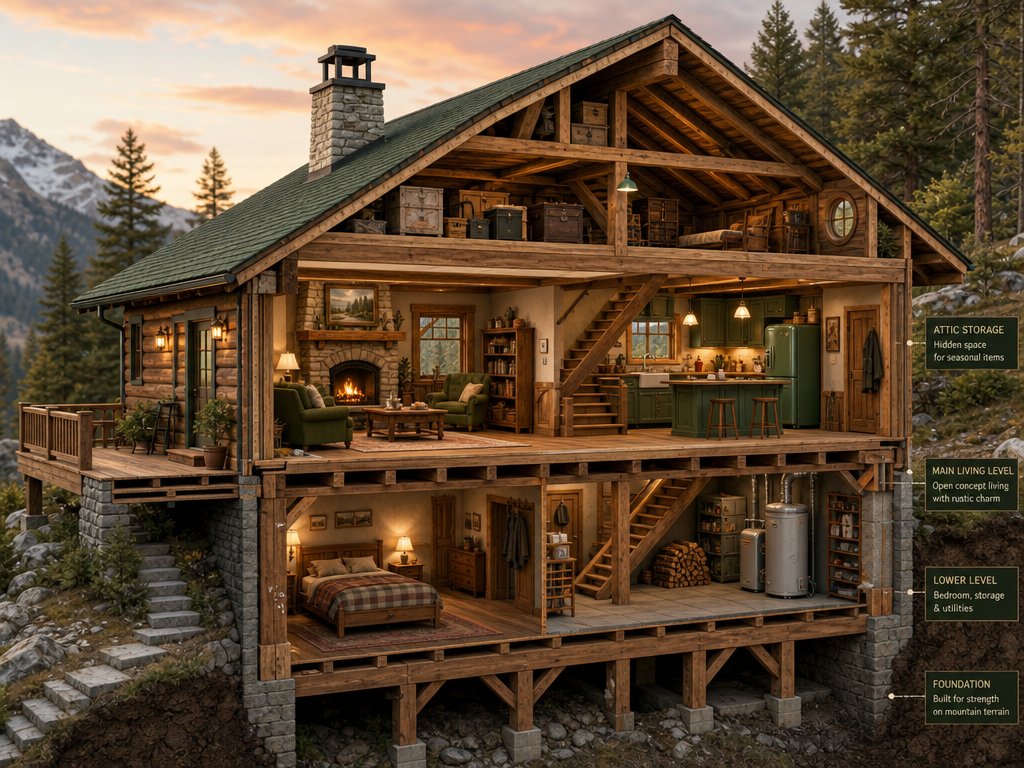
Prompt
Create a creative image of Cross Section Cutaway Render. Style: photorealistic. Composition: balanced and well-framed. Lighting: natural with cinematic mood. Category: photography. Reference: cross-section-cutaway-render-22850.
Prompt breakdown
- Subject
- creative cross-section cutaway render
- Style
- photorealistic
- Lighting
- natural with cinematic mood
- Composition
- balanced and well-framed
- Mood
- cinematic
Remix ideas
- Specify the cutaway object as a mid-century modern house to reveal rooms and foundations
- Introduce subtle subsurface scattering on organic internal textures like wood or soil
- Shift the slice angle to a 45-degree diagonal for more dynamic internal reveals
Reference images
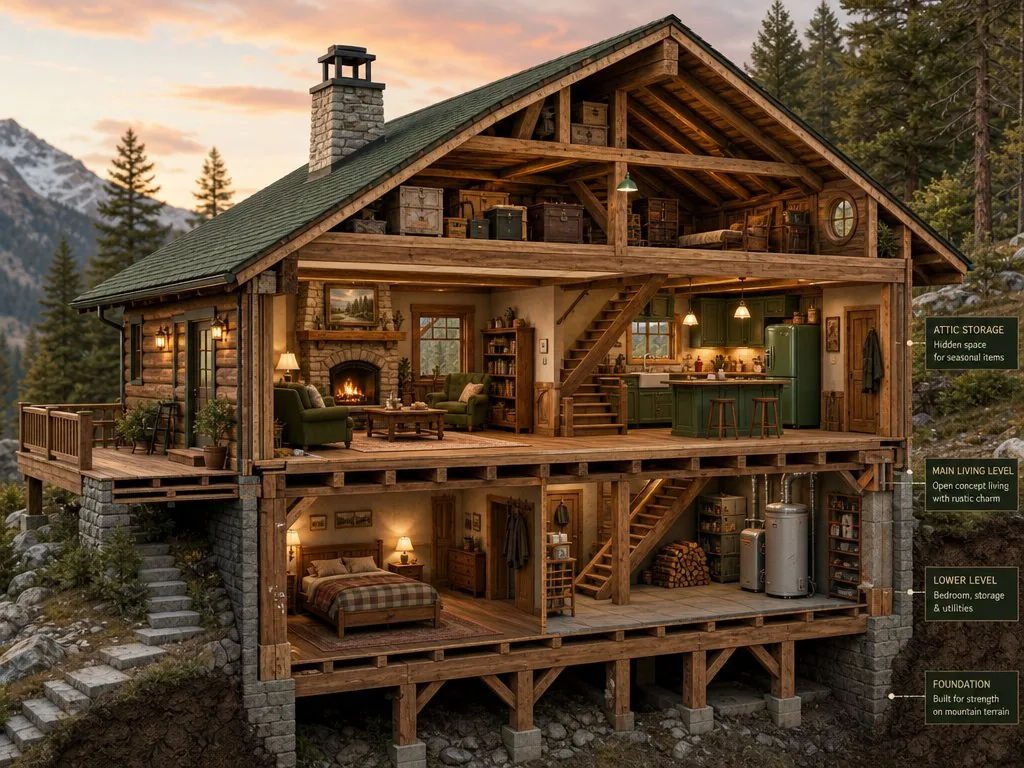
How to use this AI Image prompt template
 1
1Copy the prompt — grab this template’s prompt and negative prompt.  2
2Pick a model — choose a recommended AI model for the best match.  3
3Generate — open the studio with one click and create your result.
Related templates

Photorealistic 3D Render Template
Photorealistic 3D render of [SUBJECT], polished obsidian, smoked glass, transparent polycarbonate, matte aluminum, aerodynamic curves, seamless integration, minimalist geometry, dramatic edge lighting, crimson neon accents, volumetric fog, monochromatic dark palette, central framing, flawless surfaces, micro-textured plastics, wet reflections, studio-grade visualization, moody atmospheric void, shallow depth of field, 85mm lens, sharp focus, cinematic tension

Toy Figure Character Transformation
Create a anime image of Toy Figure Character Transformation. Style: photorealistic. Composition: balanced and well-framed. Lighting: natural with cinematic mood. Category: anime. Reference: toy-figure-character-transformation-22152.

Pixar Style Animated Character Sheet
Create a anime image of Pixar Style Animated Character Sheet. Style: photorealistic. Composition: balanced and well-framed. Lighting: natural with cinematic mood. Category: anime. Reference: pixar-style-animated-character-sheet-21096.

Hyper-Realistic 3D Chibi Doll
Hyper-realistic 3D caricature in collectible chibi doll style (style), ultra-detailed rendering, softbox studio lighting, smooth infinite white background. Proportions: GIANT, round, adorable head with extreme chibi proportions. Small, chubby, baby-like body with short, pudgy arms and legs. Head-to-body ratio 2:1. Toddler height. Face: Extreme pouty, sulky, grumpy expression. Furrowed and lowered eyebrows creating a deep wrinkle in the center of the forehead. Large, shiny brown eyes, slightly squinted with irritation. Small upturned pink nose. Mouth with a VERY exaggerated forward pout, protruding lower lip, creating a baby-like double chin effect. VERY LARGE, round, rosy, puffed cheeks. Baby double chin. Porcelain-like skin with soft, realistic texture. Hair: Voluminous, wavy, messy hair. Loose and frizzy strands falling across the face and nape, giving a tousled appearance. Adapt hair color and length according to the reference image. Maintain the same fluffy volume and texture. Pose: Standing with the head tilted to one side, body slightly curved. Both hands tucked into the front pockets of the shorts. Drooping shoulders. Classic "I'm upset" posture. Clothing: Basketball-style athletic tank top (outfit) with contrasting collar and armhole trim, plus loose sports shorts with a drawstring. High-top sneakers in an All-Star style. Thin necklace with a pendant around the neck. Bracelets on the wrists. Keep exactly the same sportswear design, but use RANDOM COLORS (color scheme) different from the original red/white combination. Keep the logo and number on the jersey, but feel free to change the text/number. Art Style: Photorealistic 3D collector doll render, soft skin texture, gentle lighting, highly detailed strand-by-strand hair, delicate shading. Same cute yet irritated character style.

Paper Art Cutout Effect Prompt
Create a creative image of Paper Art Cutout Effect Prompt. Style: photorealistic. Composition: balanced and well-framed. Lighting: natural with cinematic mood. Category: photography. Reference: paper-art-cutout-effect-prompt-1312.
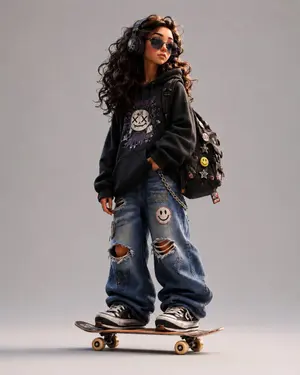
3D Stylized Cartoon Skater
Design a stylized 3D cartoon skater character (character) with a premium animated-film look, mixing Pixar-like polish, Spider-Verse energy, and indie street-art attitude. Character details: - exaggerated proportions with long, skinny limbs - oversized hoodie in customizable pink (hoodie color) - baggy ripped denim jeans (pants) - chunky sneakers - expressive tired-but-confident face - messy stylized hair - large headphones - backpack covered with pins and patches - standing naturally on a skateboard Visual style: Clean cinematic 3D render with soft global illumination, subtle chromatic aberration, ultra-detailed textures, smooth shading, playful but believable anatomy, high-end character design, stylized streetwear fashion, and urban youth energy. Pose: Slightly slouched posture, one hand relaxed, cool bored expression, looking sideways. Background: Minimal clean studio background with soft shadows and a centered composition. Extra details: Add stickers, embroidered patches, smiley pins, doodles, skate-culture details, early-2000s urban energy, cinematic render quality, and a polished animation-studio finish. Aspect ratio: 4:5 vertical.
Explore more prompts
Browse more AI image and video prompts by category.
FAQ
- How does the reference code affect the final cross-section image?
- The reference cross-section-cutaway-render-22850 anchors the output to consistent technical rendering traits while the photorealistic style overrides any purely schematic look.
- Can this prompt work for non-architectural subjects?
- Yes, swapping the implied subject to mechanical parts or botanical specimens keeps the same natural cinematic lighting and balanced framing intact.
- Is the Cross-Section Cutaway Render prompt free to use?
- Yes, this prompt is completely free on AI Pin Maker and you can copy it directly with no signup or payment required.
- How do I use the Cross-Section Cutaway Render prompt to generate an image or video?
- Copy the prompt, tweak the subject or style to fit your idea, then paste it into AI Pin Maker and generate your image or video in one click.
- Can I change the Cross-Section Cutaway Render prompt into my own version?
- Absolutely, just replace the subject, style, or parameters in AI Pin Maker to make the prompt entirely your own.