
Step 1
Upload the image needing transparency
Logos, product photos, and stickers-to-be are ideal inputs. The maker isolates your subject and prepares a clean alpha channel, so sharp source edges yield the cleanest cutouts.
Utility tools
Make a transparent PNG from any image with AI. Cleanly cut out subjects for logos, product photos, stickers, and design cutouts in one click.
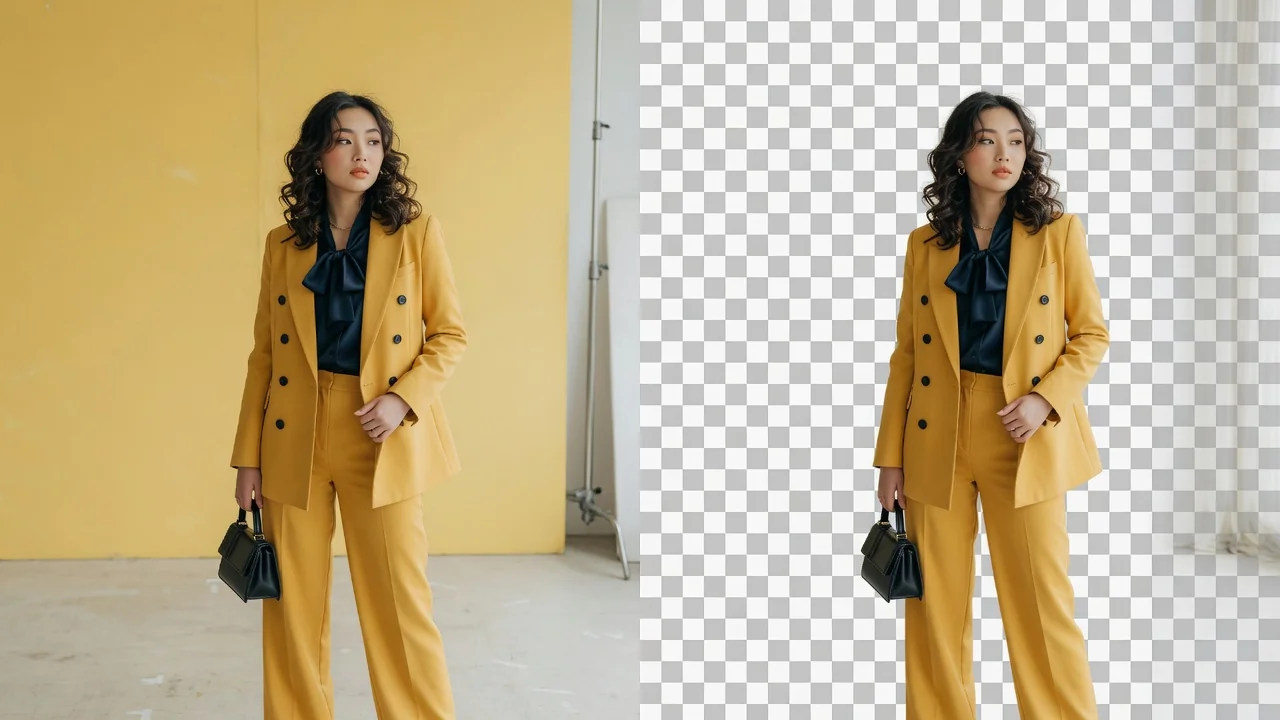

Input
1 image upload
Output
Transparent image
Utility workflow
Upload photo
PNG, JPG, WebP up to 10MB
How it works
Step 1
Logos, product photos, and stickers-to-be are ideal inputs. The maker isolates your subject and prepares a clean alpha channel, so sharp source edges yield the cleanest cutouts.
Step 2
The tool separates subject from backdrop and produces high-quality edges automatically. No manual path tracing is required — the alpha matte handles curves, gaps, and interior holes like handle openings.
Step 3
Preview against the checkerboard to confirm no background remnants remain, then export a transparent PNG that drops directly into websites, decks, print layouts, and merch mockups.
Why use it
Each tool uses a known model route instead of asking users to guess IDs.
Preview-only workflow; no generation model is exposed until the missing API capability is available.
Preview tools show the intended workflow and model gap before launch.
Related tools help continue from generation into cleanup, conversion, and publishing assets.
FAQ
It is an image whose background pixels carry an alpha value of zero, so anything behind the image shows through. That makes it the standard format for logos, product cutouts, and stickers layered over other designs.
Both isolate subjects, but this maker is oriented toward producing final design assets — logo marks, product cutouts, sticker sheets — while the remover focuses on the extraction step within photo-editing workflows. Pick whichever matches your task.
Yes, crisp high-resolution logo sources retain letterforms and thin strokes well. Very low-resolution or JPEG-artifacted logos should be re-exported at higher quality first, since compression noise near edges can confuse any matting process.
The dedicated cutout capability is still being connected to the production pipeline, so it is offered as a preview. The output format — a transparent PNG with clean alpha edges — will remain unchanged at full launch.
Related tools

Remove image backgrounds automatically with AI. Precise edge detection cuts out the subject and leaves a clean transparent layer ready to export.

Change image backgrounds with generative AI. Swap in studio, scenic, or branded scenes for product shots, portraits, and polished social visuals.
Generate logo ideas in seconds with AI. Explore clean shapes, brand colors, and typography directions to kickstart your business or project identity.